By Julia Leutloff, online editor and social media manager at Bloofusion Germany GmbH
Young, newly founded companies in particular have recognized the enormous importance of social media as a communication channel and have embraced it with enthusiasm from the very beginning. However, in the day-to-day life of a startup, there is ultimately only limited time, creativity, and, above all, budget for managing individual channels. Below, we present practical and free social media tools that have proven themselves in daily practice and will significantly simplify the life of every social media manager, especially in small businesses.
Creative tool tip: Canva and Pablo
Most people will have realized that visual content plays an extremely important role, especially in the social media space. Nevertheless, small businesses can't necessarily invest in a graphic designer—either internally or externally—right from the start. Another smart solution is needed to create visually appealing posts yourself. The browser-based design tool Canva, available as a mobile app and with its wide selection of layouts and intuitive operation, is one of the most powerful and, above all, largely free tools in this area.
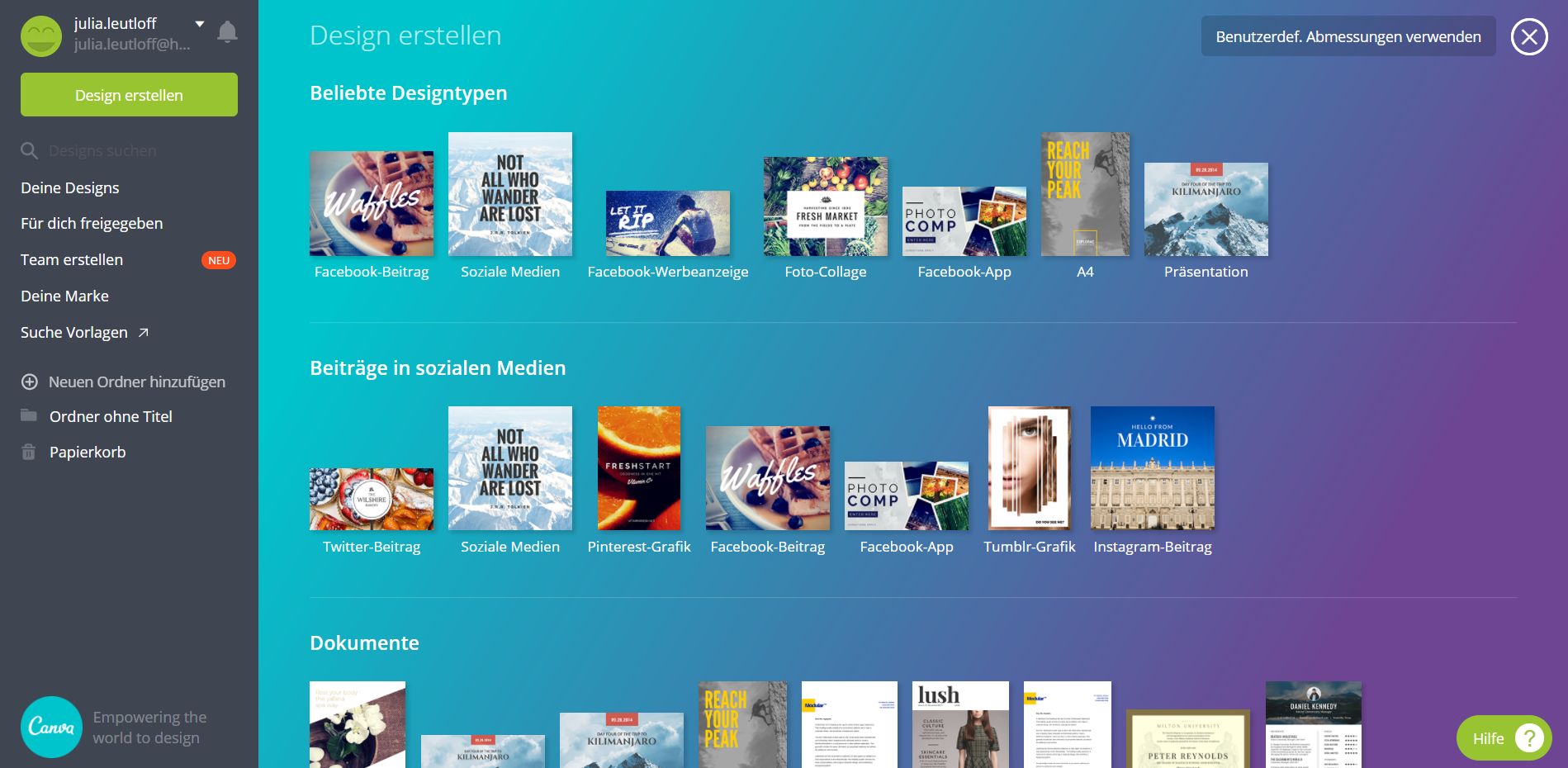
Canva offers its users not only all common social media formats as design templates, but also many other important documents such as letterheads, presentations, and flyers (Figure 1). Furthermore, users can access and customize a large selection of graphics, images, text elements, and backgrounds. Users can also upload their own image files and logos, which can then be used as graphic elements. The entire design process is simple via drag and drop. Especially those who aren't Photoshop pros but still want to create appealing layouts for their social media posts in a short amount of time can express their creativity here.
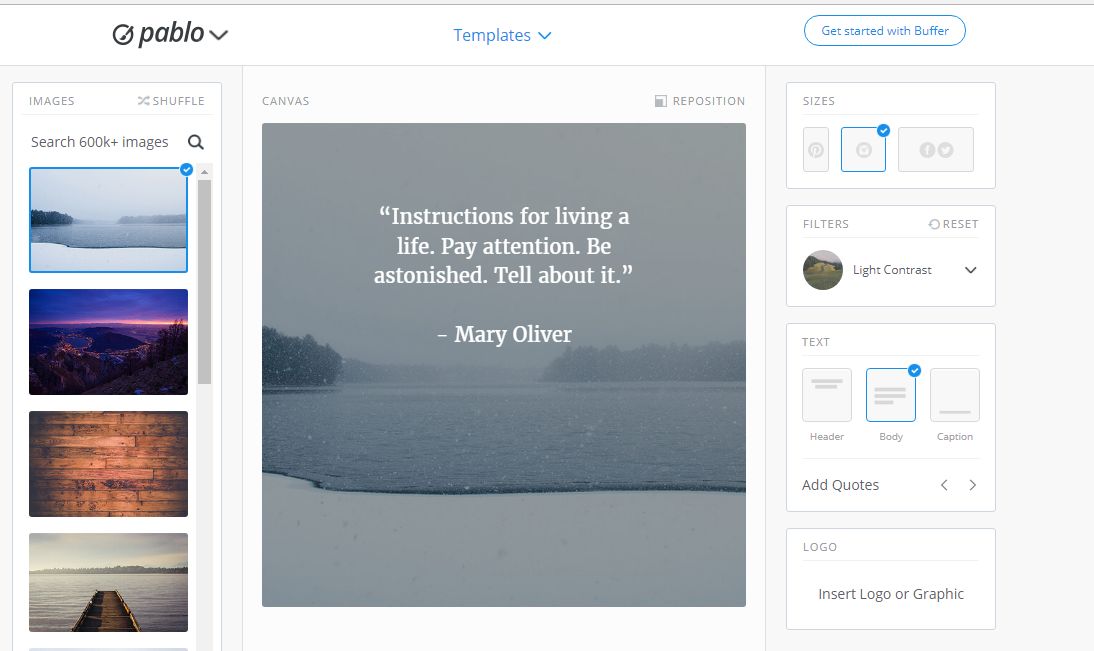
If you need it even faster and easier and less complex graphics, Pablo von Buffer Recommended. This tool is arguably the most effective, especially for quickly creating a blog post image for social media channels. It deliberately offers only three formats, based on the specifications of Facebook, Instagram, Twitter, and Pinterest (Figure 2). The text fields are also predefined, and users can choose between three different placements and approximately 25 fonts. Those looking for a good quote can also choose from a large selection of famous sayings and idioms (in English).
By tapping into various free image databases, Pablo offers over 600,000 free images and graphics that can be used as backgrounds. To further personalize the whole thing, the images can be customized with a filter and your own logo. There's hardly a faster way to create a graphic for social media posts.
Tool tip Advertising: Facebook Creative Hub and Audience Insights
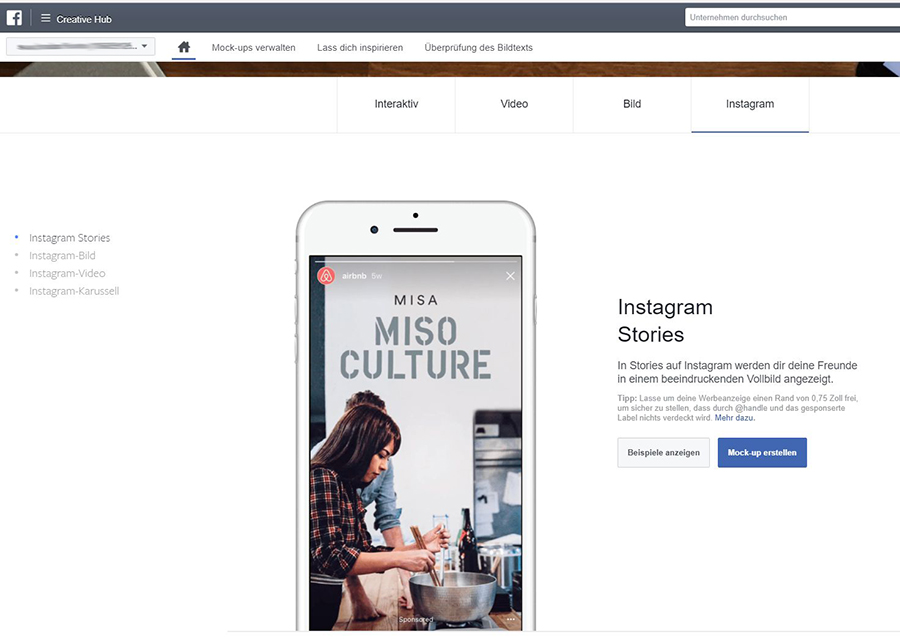
When organic reach doesn't reach the desired numbers, or when social media is also being used as a sales channel, startups cannot avoid promoting their content. Especially for those getting started in the world of advertising on Facebook and Instagram, Facebook's own tool, Creative Hub, is recommended. First and foremost, it offers a very good and large selection of different ad formats and examples from other successful companies. These provide initial inspiration for what's possible and how messages can be conveyed through ads (Figure 3).
Secondly, the tool offers beginners the opportunity to create mock-ups of ads – without actually running them in Ads Manager. A particularly helpful feature is that all created test ads can also be sent directly to their mobile news feed. This gives beginners a good idea of how the ad will actually appear to users. If ads are to be actually launched later, they can be moved to Ads Manager.
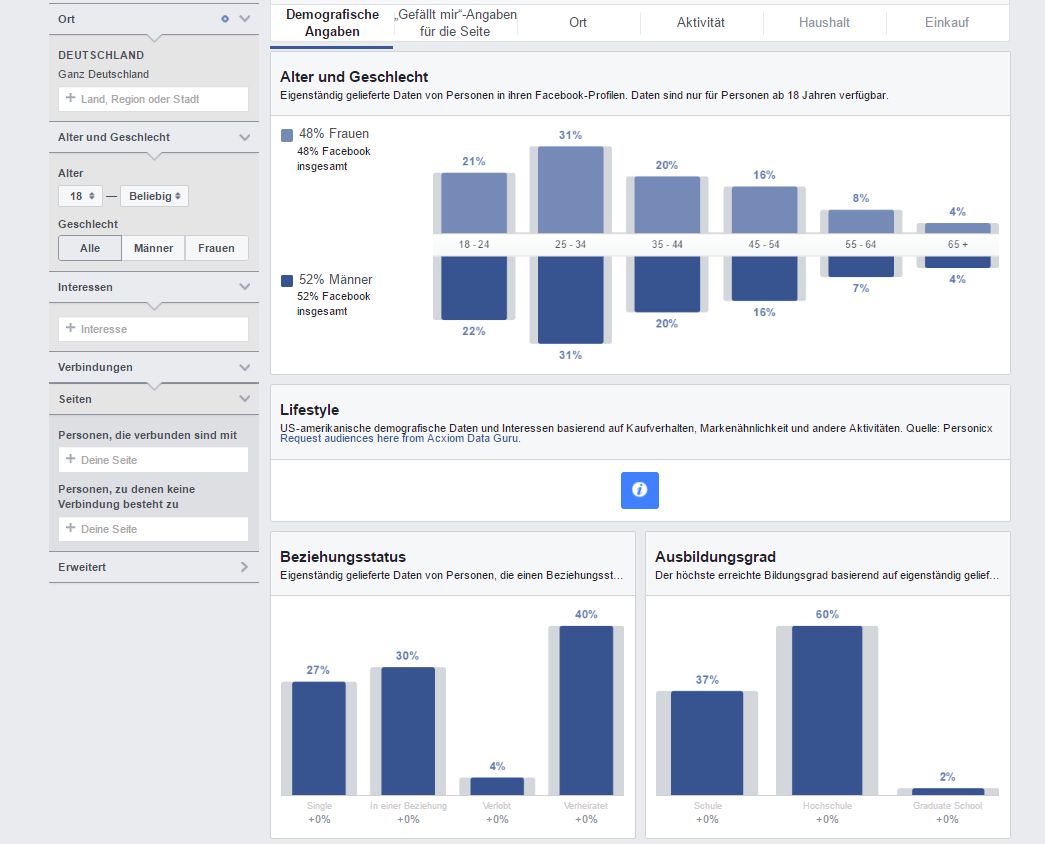
Also from Facebook is the Audience Insights tool, which provides highly detailed information about current or potential target groups, helping advertisers better understand users. The tool delivers current data from users who were active in the last 30 days and, based on a selected selection (for example, based on interests), provides additional information about the appearance of the target group (Figure 4). Audience Insights is a great tool, especially for researching potential target groups, to identify important characteristics and incorporate them into ad design.
Tool tip monitoring: Hootsuite and Fanpage Karma
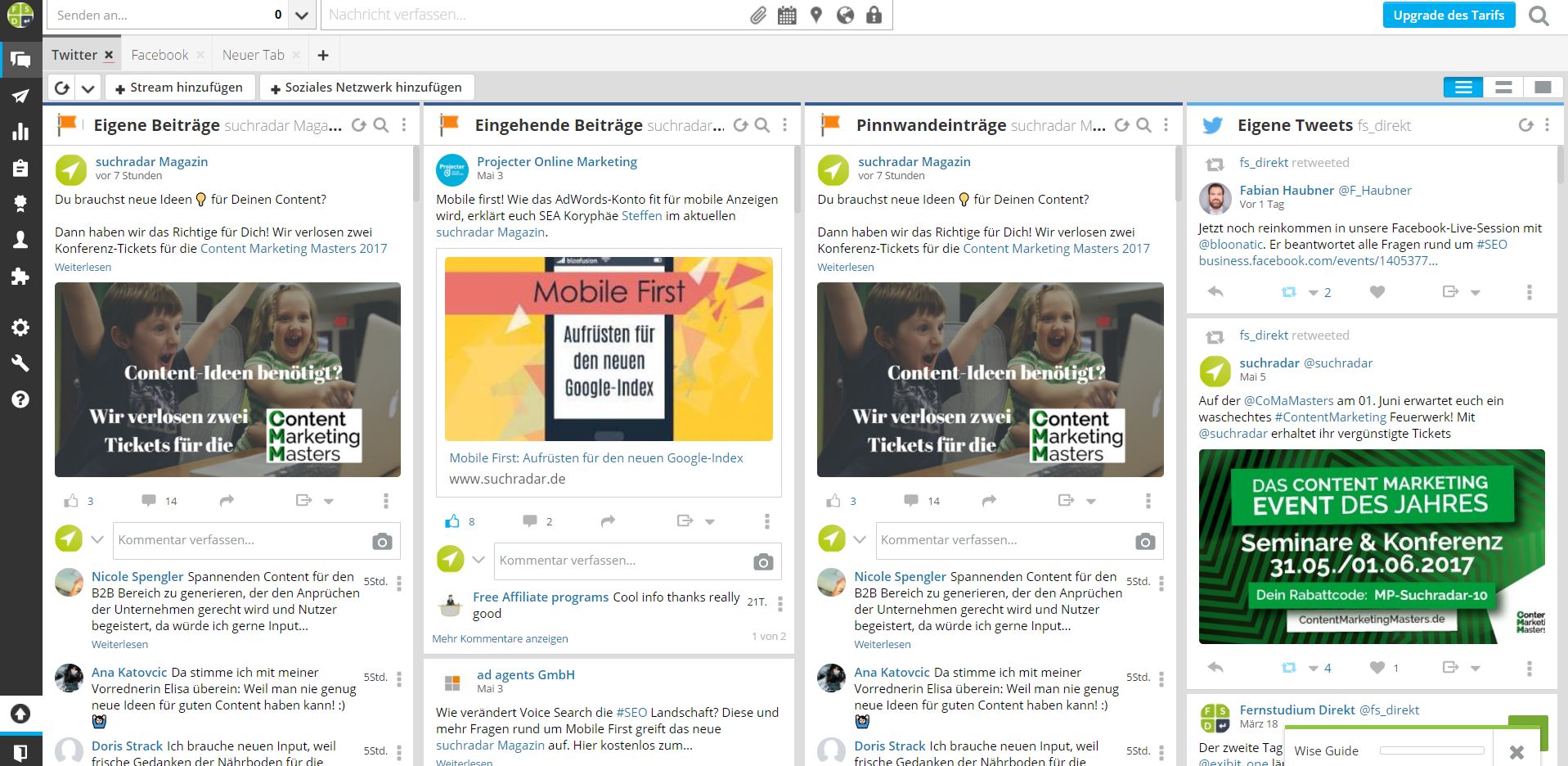
For companies that not only occasionally post and interact on a channel, but also want to monitor and control activities, Hootsuite Recommended as a practical, all-in-one solution. Hootsuite is one of the most popular social media management tools, and one of the few that also offers a (limited) free version.
The free version allows you to manage three social media profiles from one account, allowing you to manage the publishing, monitoring, analysis, and scheduling of messages (Figure 5). The tool allows you to publish posts either to all three networks or individually – and you can also schedule them in advance, for example, for weekends. Communication can also be handled via Hootsuite, and all mentions, comments, or messages can be responded to directly in the dashboard.
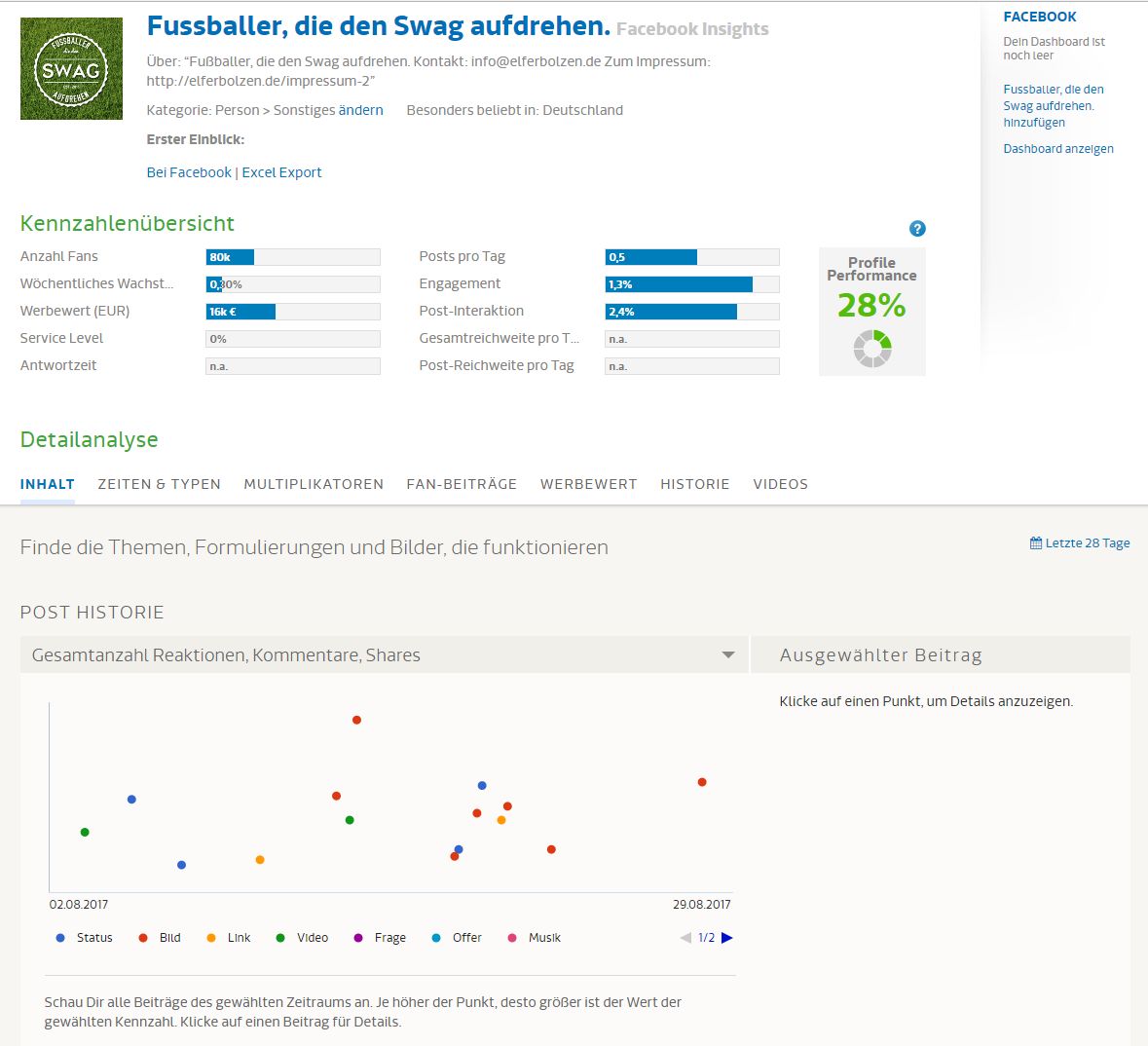
For a quick competition check, Fanpage Karma It's actually a paid engagement and monitoring tool that covers Facebook, Twitter, YouTube, Instagram, and Pinterest. However, the free version also offers the ability to analyze at least one page in more detail. If you want to test your largest competitor, you can find out which posts are particularly successful, what type of content is popular, and what times are best for publishing.
Conclusion
Not every tool presented will be equally useful for every social media manager in a startup. Nevertheless, thanks to their free versions and ease of use, they offer small businesses in particular an effective way to creatively design and monitor posts, as well as easily manage advertising campaigns. It's definitely worth a try!